Category: Uncategorized

  • What Happens to Your Phone the Second You Land Abroad

    What Happens to Your Phone the Second You Land Abroad

    What happens to your phone when you land abroad is more dramatic than most travelers expect — and more expensive. Before you flip off airplane mode at baggage claim, read this.


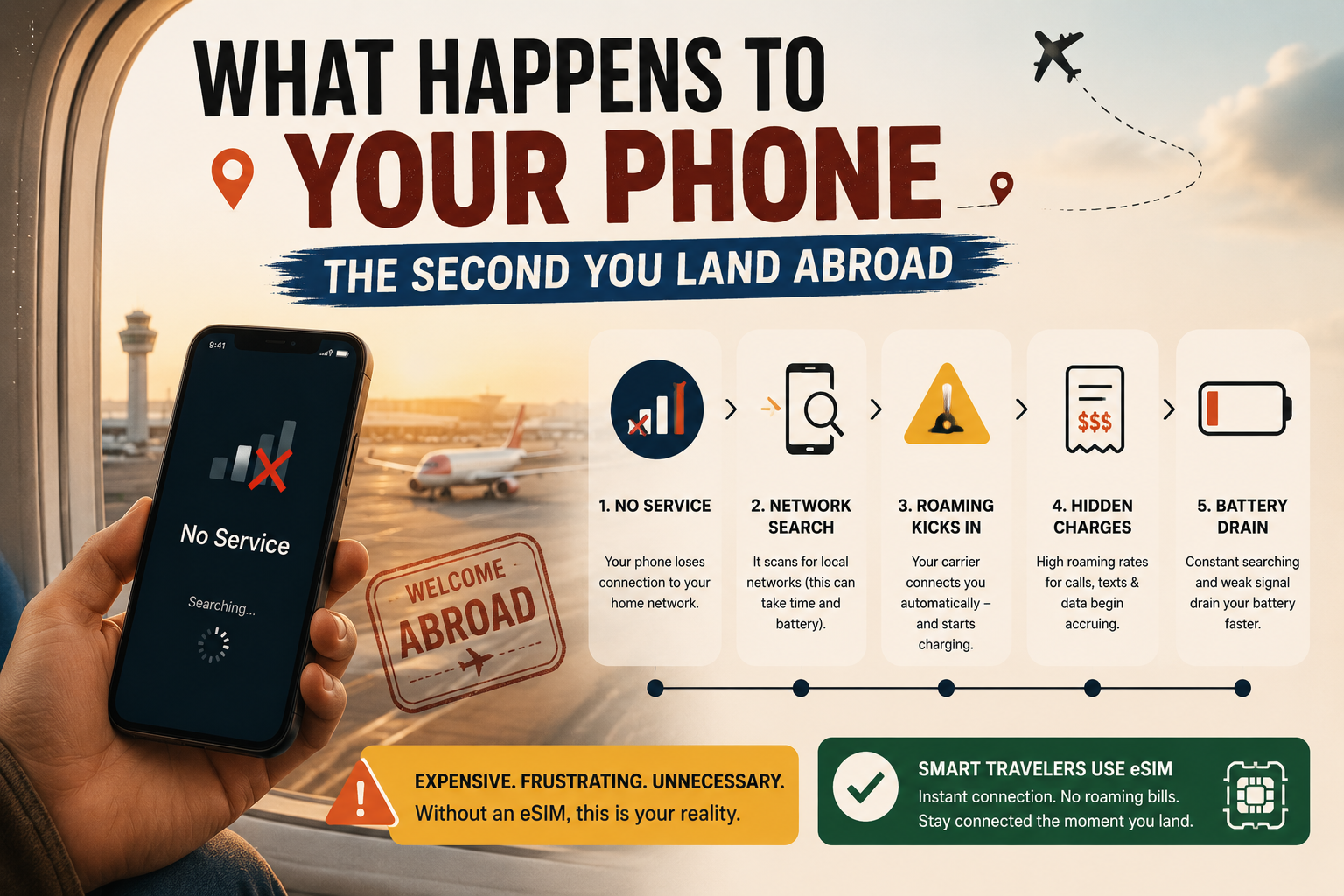
    You land. The seatbelt sign goes off. Forty people around you instantly reach for their phones. You do the same. Airplane mode goes off. And in that exact moment — before you’ve collected your bag, before you’ve cleared customs, before you’ve even found the exit — your phone has already started making decisions that could cost you hundreds of dollars.

    What happens to your phone when you land abroad isn’t complicated, but it is fast, automatic, and almost completely invisible. Your phone connects to a foreign network within seconds of getting a signal. If your carrier’s international roaming is active, the billing clock starts immediately. If you don’t have a travel eSIM already set up, that moment is already costing you.

    This guide explains exactly what your phone does the second you land abroad, why roaming charges catch so many Canadian travelers off guard, and what you can do before your next flight to make sure it never happens to you.


    The First 60 Seconds: What Your Phone Does Before You Even Move

    Most travelers think of roaming as something that happens when they actively use their phone — open an app, make a call, load a map. The reality is different and more expensive.

    The moment you disable airplane mode, your phone performs a digital handshake with a foreign tower. This process, known as international roaming, allows you to maintain a connection even when you are outside your home provider’s coverage area.</cite>

    That handshake happens in seconds. And it doesn’t wait for you to open an app.

    The silent data triggers you never see

    Several hidden triggers can activate roaming charges without you ever opening an app. Background App Refresh causes apps like Maps, Mail, and Social Media to constantly sync data to provide real-time updates. Wi-Fi Assist automatically switches you to roaming data if the local Wi-Fi signal is weak. Visual Voicemail downloads audio files for voicemails in the background, consuming data instantly. Automatic Updates can trigger gigabytes of data usage while you sleep.</cite>

    None of these require you to touch your phone. All of them generate data usage — and if international roaming is active on your home SIM, all of them generate roaming charges.

    The overnight data problem

    A single night with data roaming enabled can trigger 50–200MB of background usage. Depending on your carrier, that translates to CA$50–200 in charges while you’re unconscious.</cite>

    This is one of the most common sources of roaming bill shock for Canadian travelers. The phone sits on the nightstand. Nobody touches it. The bill arrives three weeks later.


    Why Roaming Charges Start Before You Even Reach Baggage Claim

    Understanding how roaming works is the first step to not being surprised by it.

    International roaming works through agreements between your home network and foreign networks. When you arrive abroad and turn off airplane mode, your phone sends a signal that is picked up by a local cell tower. The foreign network checks with your home carrier to see if your account allows international access. If approved, you are granted access. Your home carrier will then track your usage on this foreign network and bill you according to your contract rates.</cite>

    For Canadian travelers on Rogers, Bell, or Telus, those contract rates mean a daily roaming charge of CA$16–18 per day — activated automatically, billed even for minimal use, and applied from the moment your phone first connects to a foreign tower.

    The automatic activation trap

    Most carrier international plans activate automatically when you use your device abroad, even briefly. Check one email or receive a text message, and you’re charged for the entire day. There is no partial-day billing — use your phone for five minutes or five hours, and the cost is identical.</cite>

    Land at 11:45pm local time. Receive one welcome text from the foreign carrier. You’ve just paid CA$16–18 for 15 minutes of access.

    What happens if you have no roaming plan at all

    In 2024, travelers worldwide racked up over $60 billion in unexpected roaming charges. Most people who got hit with these bills didn’t even know data roaming was on — no warning message, no spending alert, just an email from their carrier weeks later with a four-figure charge.</cite>

    If you don’t have a daily pass activated, <cite index=”12-1″>international roaming without a plan can cost over CA$20 per megabyte on pay-per-use rates — meaning a single video call could run hundreds of dollars.</cite>


    The 5 Things Your Phone Does Automatically When You Land Abroad

    Here is the exact sequence of what happens to your phone when you land abroad — most of it invisible, all of it billable if your home SIM’s roaming is active.

    1. It connects to the strongest local tower

    Within seconds of airplane mode going off, your phone scans for available networks and connects to the strongest signal. It doesn’t ask permission. It doesn’t warn you. It connects — and if that network is a roaming partner of your Canadian carrier, billing begins.

    2. Your carrier sends you a “welcome” text

    You’ll almost certainly receive a text from your home carrier within minutes of landing: “Welcome to [country]. Roaming rates apply.” This text itself is not a charge. But the data connection that received it is now active and billable.

    3. Background apps begin syncing

    Email refreshes. iCloud or Google Photos begins uploading your last camera roll. WhatsApp downloads messages and media. Weather updates. Maps refreshes your location. <cite index=”27-1″>Even receiving a welcome SMS from a local provider can occasionally trigger a daily fee if your phone responds with a delivery receipt.</cite> All of this happens before you’ve picked up your bag.

    4. Your apps request location access

    Navigation apps, ride-hailing apps, hotel apps — all of them ping your location when they detect you’ve moved. That location ping requires a data connection. On a home SIM with roaming active, it costs money. On a SimClaire travel eSIM, it’s included in your plan.

    5. Automatic updates queue up

    Your phone detects it’s been in airplane mode for hours and queues every pending app and system update for immediate download. On home Wi-Fi, those updates are free. On a roaming connection, <cite index=”30-1″>a single night of background data can trigger 50–200MB of usage</cite> — and your carrier bills per megabyte or per day, not per choice.


    iPhone vs Android: Does It Matter What Phone You Have?

    The short answer is no — both platforms have roaming on by default, and both will connect to foreign networks automatically. But the settings to manage it differ.

    On iPhone

    Go to Settings → Mobile Data → Mobile Data Options → Data Roaming. Toggle it off to prevent your home SIM from roaming. You can also go to Settings → General → Background App Refresh and disable it entirely while traveling.

    For eSIM-compatible iPhones (iPhone XS and later), you can install your SimClaire eSIM as a separate line and set it as your default data line — leaving your Rogers, Bell, or Telus SIM active for calls and texts but preventing it from roaming.

    On Android

    Go to Settings → Connections → Mobile Networks → Data Roaming and toggle it off. On Samsung devices specifically: Settings → Connections → Data Usage → Data Saver adds an additional layer of background data control.

    Android’s dual-SIM management also makes eSIM setup straightforward — you can assign data to your SimClaire eSIM and calls/texts to your home SIM simultaneously.


    How a Travel eSIM Changes What Happens When You Land

    This is where the experience of landing abroad changes completely.

    If you’ve set up a SimClaire travel eSIM before your flight, what happens to your phone when you land abroad looks entirely different. Instead of your home SIM scrambling to connect to a foreign roaming partner at CA$16–18/day, your eSIM connects directly to a local network as a local subscriber.

    Your home SIM stays active in the background, so you can still receive SMS messages — useful for two-factor authentication — and incoming calls, though answering those calls may incur roaming charges.</cite>

    What this means in practice:

    • Your eSIM data line connects to the local 4G or 5G network automatically
    • Background apps sync over the eSIM, not your home SIM
    • Your Canadian number stays reachable for calls and texts
    • No roaming clock is running on your home carrier account
    • No surprise daily charge for the 15 minutes between landing and reaching your hotel

    The cost difference between roaming and a travel eSIM is significant. A 10-day Europe trip on Rogers Roam Like Home costs CA$160. A 10-day SimClaire Europe eSIM plan costs a fraction of that — with no automatic activation trap and no per-day billing.


    The Pre-Landing Checklist: What to Do Before You Fly

    The best time to sort your phone connectivity is before you board, not after you land. Here is exactly what to do.

    48 hours before your flight:

    • Check if your phone is eSIM compatible
    • Purchase your SimClaire eSIM plan for your destination
    • Install the eSIM via QR code on home Wi-Fi

    The night before:

    • Turn off Data Roaming on your home SIM (Settings → Mobile Data)
    • Turn off Background App Refresh
    • Download offline Google Maps for your destination
    • Save hotel address, booking confirmations, and transit info offline

    At the gate:

    • Switch to airplane mode for the flight
    • Double-check your eSIM is installed and showing in your SIM settings

    The moment you land:

    • Turn off airplane mode
    • Your SimClaire eSIM connects automatically — no setup required at the airport
    • Your home SIM stays active for calls and texts, roaming data is off
    • You walk through arrivals connected, with no roaming clock running

    What Happens to Your Phone in Specific Countries

    The roaming experience isn’t identical in every destination. Some countries have additional rules that affect what your phone does when you land.

    Indonesia and Kenya require IMEI registration at the airport to avoid permanent signal loss. Russia enforces a mandatory 24-hour blackout on data and SMS for all foreign SIMs. Turkey blocks foreign devices after 120 days unless a registration fee of approximately $1,260 is paid.</cite>

    For most popular Canadian travel destinations — Europe, the USA, Southeast Asia, the Caribbean — none of these extreme rules apply. But it’s worth checking your specific destination’s mobile rules before you fly, particularly for less-common routes.

    For Europe, SimClaire’s best eSIM for Europe covers 34 countries under one plan — including Switzerland and the UK, which many competitors quietly exclude.

    For the USA, a SimClaire US eSIM connects to local networks directly, bypassing Canadian carrier roaming rates entirely. Particularly relevant for snowbirds and extended-stay travelers where monthly roaming costs would otherwise compound dramatically.


    Frequently Asked Questions

    Does my phone automatically roam when I land abroad?

    Yes. The moment you turn off airplane mode, your phone connects to the strongest available network. If your home carrier has a roaming agreement with a local network in that country, roaming begins automatically — even before you open any app.

    How do I stop my phone from roaming when I land abroad?

    Go to Settings → Mobile Data → Mobile Data Options and turn off Data Roaming before your flight. This prevents your home SIM from connecting to foreign networks. You can then use a travel eSIM for data without triggering home carrier charges.

    What is the cheapest way to use my phone abroad?

    A travel eSIM purchased before you fly is consistently the cheapest option for Canadian travelers. SimClaire’s plans cover 150+ destinations and cost significantly less than Rogers, Bell, or Telus daily roaming rates — with no automatic activation trap and no bill shock on return.

    Can I keep my Canadian number while using a travel eSIM?

    Yes. On dual-SIM devices, your home SIM stays active for calls and texts while the eSIM handles data. You receive calls and texts on your regular Canadian number, and your data runs through the local eSIM network at local rates.

    Do I need internet to install a travel eSIM?

    You need a Wi-Fi connection to scan the QR code and install the eSIM. This is why SimClaire recommends installing your eSIM before you leave home — not at the airport, and certainly not after you’ve already landed abroad.


    The Bottom Line

    What happens to your phone when you land abroad is automatic, fast, and expensive if you’re not prepared. Your phone connects to a foreign tower within seconds. Background apps start syncing within minutes. If your home SIM’s roaming is active, the billing clock started before you reached baggage claim.

    The fix is straightforward: set up a SimClaire travel eSIM before you fly, turn off data roaming on your home SIM, and land knowing exactly what your connectivity will cost — because it’s already paid for.

    Building your bridge to the world — before you even land. 🧡


    Ready to land connected without the roaming bill? Browse SimClaire’s eSIM plans at simclaire.com or reach us on WhatsApp at +1 437-605-6560.
  • The Hidden Costs of Travelling Without an eSIM (Real Numbers)

    The Hidden Costs of Travelling Without an eSIM (Real Numbers)

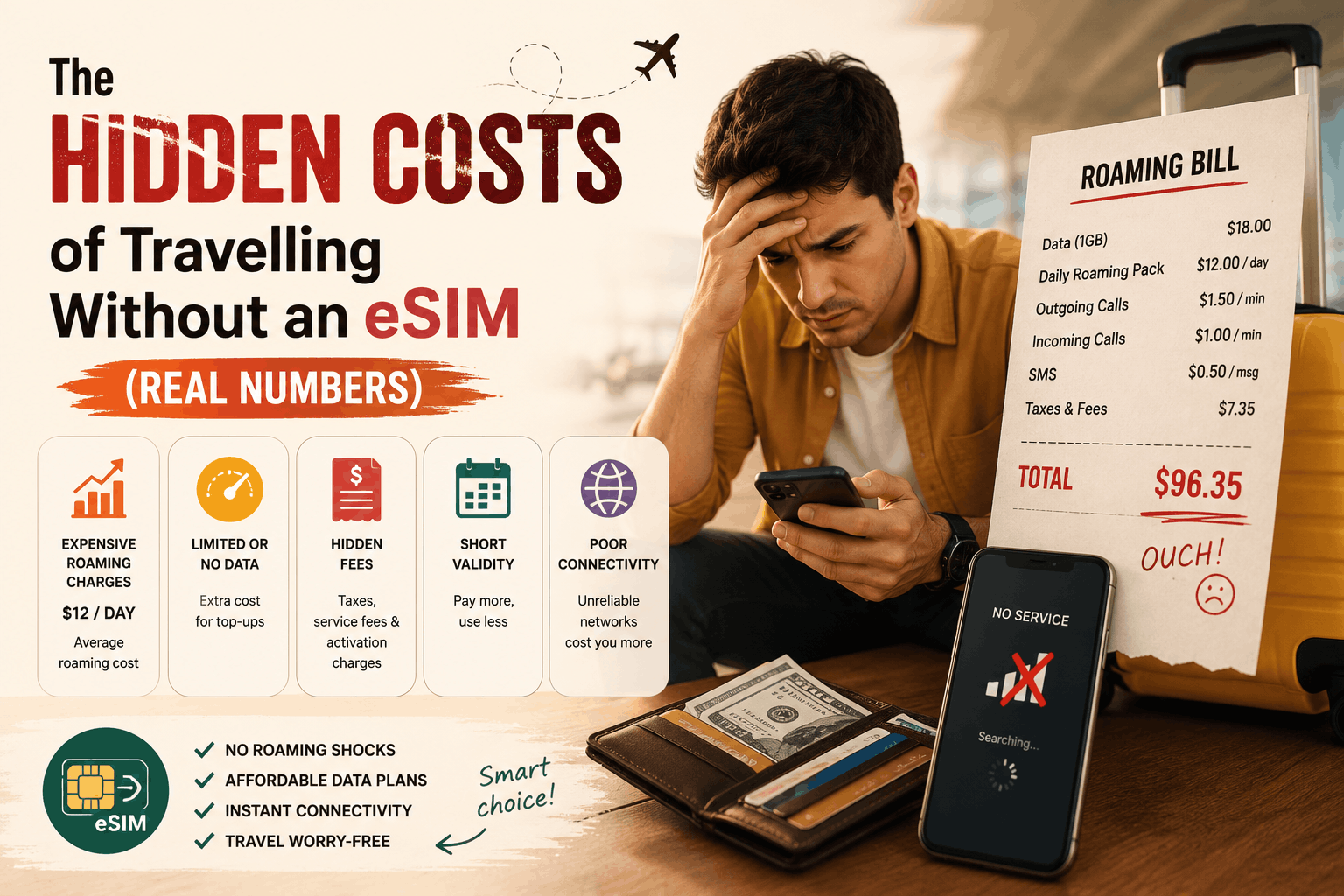
    Think roaming charges are just a small inconvenience? The hidden costs of travelling without an eSIM are bigger than most Canadian travelers realize — and the numbers prove it. Here’s exactly what you’re paying, broken down by trip type, traveler type, and carrier.


    Most travel budgets account for flights, hotels, food, and activities. Almost nobody budgets for the phone bill — because it doesn’t feel like a choice. You land, you flip off airplane mode, and whatever your carrier charges, you pay.

    That assumption is costing Canadian travelers hundreds of dollars per trip.

    The hidden costs of travelling without an eSIM don’t show up until you’re already home. By then, the damage is done: a roaming bill that quietly doubled your daily spend, a family vacation that cost CA$800 more than it needed to, a two-week euro trip that came with a CA$252-per-person connectivity surcharge nobody mentioned at booking. These aren’t edge cases. They’re what happens when you travel with your Canadian carrier plan and don’t read the fine print before you fly.

    This post puts real numbers to what travelling without an eSIM actually costs — by carrier, by destination, by trip length, and by household size — so you can make an informed decision before your next departure.


    What Canadian Carriers Actually Charge for International Roaming in 2026

    Let’s start with the published rates, because most travelers have a vague sense that roaming is “expensive” without knowing the specific numbers.

    As of mid-2026, Canada’s Big Three carriers charge the following for international roaming:

    • Rogers Roam Like Home: CA$16/day in 185+ countries
    • Telus Easy Roam: CA$16/day in the US, CA$18/day everywhere else
    • Bell Roam Better: CA$16/day, with a 5GB high-speed cap on Ultimate plans (after which speeds drop to 512Kbps for the rest of the day)

    These are daily pass rates, and they activate automatically the moment you use your phone abroad — even if it’s just to check one email or receive a text. There’s no partial-day billing. Use your phone for five minutes or five hours on the same day: same charge.

    That daily rate model sounds manageable until you do the math across a full trip.


    The Real Numbers: What Roaming Actually Costs Per Trip

    Solo traveler, 10-day US trip

    Roaming on Rogers, Bell, or Telus: CA$130–160

    A SimClaire US eSIM plan for the same trip: significantly less — and no surprise bill when you land at Pearson.

    Solo traveler, 14-day Europe trip

    A 14-day European trip on Telus Easy Roam, Rogers Roam Like Home, or Bell Roam Better runs roughly CA$224–252 per person. That’s before tax, before any overage charges, and before the daily cap kicks in and throttles your speed.

    Family of four, 14-day Europe trip

    For a family of four on a two-week trip in Europe at CA$16–18/day per device, the roaming total reaches nearly CA$900 in connectivity charges alone — on top of flights, hotels, and everything else.

    CA$900 is two return flights between Toronto and London at off-peak prices. It’s four nights of mid-range accommodation in Rome. It’s a significant portion of the travel budget, quietly consumed by a phone bill.

    Solo traveler, 21-day trip

    A 21-day trip runs CA$336–378 in carrier roaming costs. A regional travel eSIM for the same duration and coverage costs a fraction of that.

    What happens if you don’t have a roaming plan at all

    International roaming without a plan can cost over CA$20 per megabyte on pay-per-use rates — meaning a single video call could run hundreds of dollars.Most carriers have moved away from pure pay-per-use billing, but the risk still exists for travelers who don’t activate a daily pass before their phone connects abroad.


    The Costs Nobody Talks About

    The daily rate is the obvious number. But the hidden costs of travelling without an eSIM go beyond the per-day charge. Here’s what else quietly adds up.

    1. The automatic activation trap

    Most carrier international plans activate automatically when you use your device abroad, even briefly. Check one email or receive a text message, and you’re charged for the entire day. There’s no partial-day billing — use your phone for five minutes or five hours, and the cost is identical.

    For layovers, short border crossings, or an early morning arrival where you’re charged a full day rate for two hours of use before midnight — this trap catches thousands of Canadian travelers every year.

    2. Throttling after daily caps

    Bell’s 2026 restructured plans cap high-speed data at 5GB per day when roaming. After that, speeds drop to 512Kbps for the rest of the day. That’s roughly slow 3G — workable for a WhatsApp message, unworkable for Google Maps with live traffic, Spotify, or a video call.

    You’re paying CA$16/day for a plan that stops performing like what you paid for the moment you hit 5GB. Telus and Rogers apply similar soft caps on roaming data even within their Easy Roam and Roam Like Home plans.

    3. The CRTC complaint spike — because travelers are getting burned

    The 2026 roaming landscape saw a 61% spike in customer complaints to the CCTS (Commissioner for Complaints for Telecommunications Services). That’s not a statistic about confused customers — it’s a signal that the gap between what carriers market and what travelers experience is widening.

    The CRTC has now introduced a CA$50 usage alert mandate, designed to warn travelers before they cross thresholds. It’s a useful protection — but it doesn’t change the underlying rates, and the structural reality of three carriers controlling roughly 90% of the market, with daily roaming fees in the CA$16–18 range, is unlikely to change because of a regulatory tweak.

    4. The productivity cost of throttled Wi-Fi hunting

    This one never shows up on a bill, but it’s real. Travelers without reliable mobile data spend a disproportionate amount of trip time hunting for free Wi-Fi — in coffee shops, hotel lobbies, airport terminals — rather than navigating, booking, or just being present on the trip they paid for.

    The hidden cost of travelling without an eSIM isn’t just financial. It’s the taxi you couldn’t book because Maps wasn’t loading. It’s the reservation you couldn’t confirm because the restaurant’s website timed out. It’s the 20 minutes of your Rome afternoon spent arguing with a café’s Wi-Fi password.


    The eSIM Alternative: What the Same Connectivity Actually Costs

    The same data on a travel eSIM for a 10-day US trip runs about CA$35 per person — compared to CA$130–160 on a carrier roaming plan.

    Travel eSIM plans save Canadian travelers up to 84% compared to their carrier’s roaming rates.

    For most travelers from Canada, a travel eSIM will cost 60–90% less than a carrier day pass for the same trip.

    The math across different trip scenarios looks like this:

    TripCarrier Roaming (est.)Travel eSIM (est.)Estimated Saving
    Solo, 10 days USACA$130–160CA$25–40CA$100–130
    Solo, 14 days EuropeCA$224–252CA$30–55CA$180–210
    Family of 4, 14 days EuropeCA$896–1,008CA$120–220CA$700–800
    Solo, 21 days multi-countryCA$336–378CA$45–75CA$280–310

    These aren’t marketing estimates. They’re based on published Big Three rates versus real regional eSIM plan pricing — the kind of comparison you can verify before you book.


    “But My Plan Includes International Roaming” — Does It Really?

    This is the most common objection — and the most important one to unpack.

    Many Canadian phone plans include some form of international data, often described as “unlimited” or “included roaming.” What that typically means in practice is one of three things:

    Option A: A fixed number of roaming days are included (e.g., 10 days/year), after which standard daily rates apply.

    Option B: “Unlimited” roaming data that throttles to 128Kbps or 256Kbps after a soft cap — speeds too slow for most modern travel use cases.

    Option C: Roaming that’s included in premium plan tiers at CA$90–120/month, which only makes financial sense if you travel internationally more than once per billing cycle.

    In none of these cases is the actual connectivity equivalent to what a local data line delivers. A travel eSIM connects directly to a local 4G or 5G network in your destination country. Carrier roaming adds extra routing between you and the local tower, which can slow your speeds — meaning even when you’re paying CA$16/day, you’re often not getting the same performance as a local subscriber on the same network.


    Who Gets Hit Hardest by Roaming Costs

    The hidden costs of travelling without an eSIM don’t affect every traveler equally. Some groups consistently end up paying the most.

    Families traveling together bear the steepest cost simply because the daily charge multiplies by device. A family of four on Rogers Roam Like Home in Europe for 14 days is looking at close to CA$900 in connectivity before a single tourist attraction is visited.

    Long-stay travelers — snowbirds, digital nomads, study-abroad students — face the scenario where a monthly eSIM plan at a flat rate is dramatically cheaper than 30 individual roaming days at CA$16 each (CA$480/month on Telus Easy Roam).

    Frequent international travelers who haven’t reassessed their connectivity setup in the last two years are almost certainly overpaying. The eSIM math wins by 80–95% for leisure travelers, families splitting connectivity costs, and anyone going for more than a few days.

    First-time international travelers are most vulnerable to the automatic activation trap — landing, turning off airplane mode out of habit, and racking up a full day’s roaming charge before they’ve even reached baggage claim.


    What SimClaire Does Differently

    SimClaire’s eSIM plans are built around the way Canadians actually travel — not around the daily rate model that makes roaming expensive.

    Instead of paying CA$16 per day regardless of how much or how little you use your phone, you choose a fixed-data or unlimited plan sized to your actual trip. A 10-day Europe trip with moderate data use costs a fraction of what Rogers, Telus, or Bell charge for the same ten days. A 30-day multi-country trip costs the kind of flat rate that makes monthly budgeting straightforward.

    The specifics:

    • 150+ destinations covered — including the countries Canadian carriers quietly exclude from their standard roaming tiers
    • QR code delivered by email — install before you fly, activate the moment you land
    • Dual-SIM compatible — your Canadian number stays active for calls and texts while the SimClaire eSIM handles data
    • No automatic activation traps — your eSIM data is yours to use on your schedule, not triggered by a background email sync at 3am
    • WhatsApp support — real help when you need it, not a ticket queue that resolves after you’ve already landed home

    The hidden costs of travelling without an eSIM are real, they’re significant, and they compound with every trip and every device on your plan. The fix is a five-minute setup before you fly.

    Building your bridge to the world — without the roaming bill. 🧡


    See what you’d actually pay for your next trip. Browse SimClaire’s eSIM plans at simclaire.com or reach us on WhatsApp at +1 437-605-6560.

    Quick Reference: Canadian Carrier Roaming Rates 2026

    CarrierUSA Daily RateInternational Daily Rate
    Rogers Roam Like HomeCA$16/dayCA$16/day (185+ countries)
    Telus Easy RoamCA$16/dayCA$18/day
    Bell Roam BetterCA$16/dayCA$16/day (5GB cap, then throttled)

    Rates verified as of mid-2026. Always confirm current rates directly with your carrier before traveling.

  • 5 Things Nobody Tells You About Buying a SIM at the Airport

    5 Things Nobody Tells You About Buying a SIM at the Airport

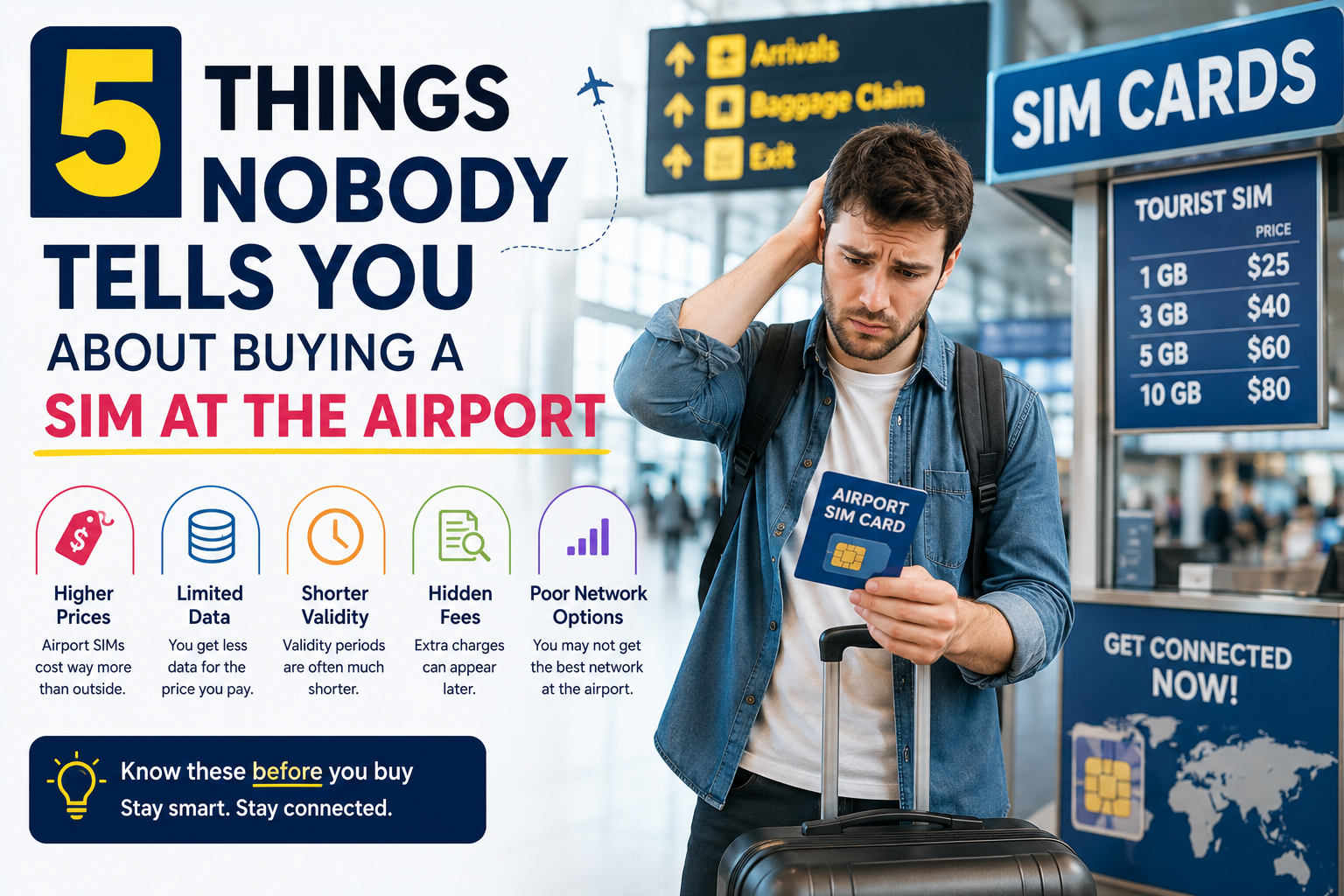
    You just landed after a long flight. Your phone is on airplane mode, you need directions, and there’s a shiny kiosk in the arrivals hall selling SIM cards. Seems like the obvious move. Here’s what 5 things nobody is telling you.


    There’s a reason airport SIM kiosks exist — and it has nothing to do with looking out for you. They exist because tired, disoriented travelers make easy customers. You’ve just landed in an unfamiliar country, you need data immediately, and there’s a convenient counter right there between baggage claim and the exit. Captive audience. Premium prices.

    Most travel guides will tell you to “just grab a SIM at the airport.” Almost none of them explain what that actually costs you — in money, time, and frustration. Here are five things you’ll find out only after you’ve already paid.


    Thing #1: You’re Paying 30–100% More Than the Exact Same Plan Costs Anywhere Else

    This is the one that stings the most. Airport SIM kiosks operate in some of the highest-rent retail space in any country. Terminal real estate costs more than a downtown storefront — and that cost is passed directly to you through inflated prices on every plan they sell.

    The markup is well-documented across destinations. In the USA, a plan that costs $40 at the airport kiosk is often available for $25 at any Walmart, Target, or carrier store in the city. In Turkey, the same Turkcell 20GB tourist SIM sold for ~$30 USD at a city store runs $50–70 USD at Istanbul Airport. In Japan, Thailand, the UK — the pattern repeats everywhere. Airport kiosk pricing is a convenience tax, and the fee is steep.

    What makes this worse is that staff at many airport kiosks earn commission on upsells. The plan being recommended to you isn’t necessarily the best fit for your trip length. It’s often the highest-margin option that still sounds reasonable to an exhausted traveler who just wants to get moving.

    The fix: Know before you go. Compare plans online before your flight, not at the kiosk counter while the queue builds behind you.


    Thing #2: Some Countries Require Your Passport — And That Adds 20–45 Minutes to the Process

    This one catches first-time international travelers completely off guard. In several countries, buying a local SIM as a tourist isn’t just a cash transaction — it’s a registration process that involves showing your passport, having your details entered into a carrier database, and sometimes even biometric verification.

    Saudi Arabia requires fingerprint and passport registration for all mobile subscriptions. India requires passport registration for tourist SIMs. Several Southeast Asian countries have similar rules. Even in countries with lighter requirements, the paperwork still has to happen at the counter, with staff manually entering your details — which explains why the “quick SIM stop” at the airport so reliably turns into a 30–45 minute queue.

    Arrive on a busy international flight, join the arrivals hall queue, and you might spend the first hour of your trip in line at a kiosk before you’ve even sent your “landed safely” message home.

    The fix: An eSIM purchased online requires zero in-person registration. Your QR code arrives by email, installs on your phone in minutes, and is ready to connect the moment you land — no counter, no queue, no passport required.


    Thing #3: That Plan Might Not Actually Work on Your Locked Phone

    Here’s the scenario nobody warns you about: you pay for the SIM, you pop it in, you restart your phone — and nothing happens. No signal. No data. Just a confused phone and a receipt you can’t do much with.

    Physical SIM cards only work if your device is carrier-unlocked. Many phones purchased on contract — especially in Canada, the US, and the UK — are locked to the home carrier until that lock is removed. The airport kiosk staff may or may not check this before selling you a SIM. Some will. Many won’t.

    The process to unlock your phone typically involves contacting your home carrier, waiting for confirmation, and sometimes a fee — none of which you can easily do while standing in arrivals with a useless SIM and a dead data connection.

    The fix: Check whether your phone is unlocked before you travel. The easiest way: try a different carrier’s SIM and see if it works. If you’re not sure, an eSIM from a compatible provider can sidestep the issue entirely on most modern eSIM-capable devices.


    Thing #4: It’s Usually a Single-Country Plan — Which Means You’ll Need Another One at the Next Border

    Most airport SIM cards are designed to keep you connected in that country. They’re sold by local carriers or local resellers, and the plan you bought in Paris is not the plan that will serve you in Amsterdam three days later.

    For a traveler on a single-destination trip, this is fine. But for anyone doing a euro trip, a multi-stop Asia itinerary, or any journey that crosses borders in under two weeks, the airport SIM math becomes painful quickly. One SIM per country means one new queue, one new registration process, one new plan to configure, and one more physical SIM card to manage (and lose) at every stop.

    The deeper issue is that even if you buy a SIM labeled “Europe” at an airport kiosk, the coverage details matter enormously. Some multi-country plans quietly exclude Switzerland, the UK, or the Balkans. Some throttle to unusable speeds the moment you cross into a country that isn’t the primary network. The kiosk staff aren’t always positioned to walk you through the fine print.

    The fix: A regional eSIM plan covers multiple countries under a single install. One QR code, one plan, automatic network switching as you cross borders. No new kiosk at every airport.


    Thing #5: You Lose Your Home Number the Moment You Insert It

    This one matters more than most people realize until it bites them mid-trip.

    When you physically replace your SIM with a local airport SIM, your home phone number goes offline. Not paused — offline. Anyone who tries to call or text your regular number while that SIM is swapped out simply can’t reach you. Your bank’s two-factor authentication text? Goes to a number that isn’t active. A WhatsApp call from family back home? Same problem. Any app that uses SMS verification — banking, travel bookings, ride-hailing — suddenly becomes a friction point every time it asks you to confirm via your “regular” number.

    This catches travelers completely off guard, especially during longer trips where staying reachable on your primary number actually matters. The workaround — forwarding calls, notifying everyone of a new temporary number, keeping your home SIM somewhere safe — creates exactly the kind of logistical headache that travel is supposed to avoid.

    The fix: An eSIM runs alongside your existing SIM on dual-SIM devices. Your home number stays active for calls and texts. Your eSIM handles data. Both work at the same time, on the same phone, with no swapping required.


    The Bottom Line

    Airport SIM kiosks are designed for travelers who didn’t plan ahead — and they’re priced accordingly. The markup is real, the queue is real, the registration friction is real, and the single-country limitation is very real if your itinerary crosses more than one border.

    The better move is a travel eSIM purchased before you fly. Not because it’s the newest technology, but because it removes every one of the five friction points above: no markup, no queue, no lock issues, no border swap, no losing your home number.

    SimClaire’s eSIM plans cover 150+ destinations worldwide, with Europe plans stretching across 34 countries — including Switzerland and the UK, which plenty of competitors quietly leave off the list. Your QR code arrives by email, installs on home Wi-Fi in minutes, and connects automatically when you land. No kiosk. No queue. No receipt you can’t use.

    Building your bridge to the world — before you even get to the airport. 🧡


    Skip the kiosk line on your next trip. Browse SimClaire’s plans at simclaire.com or reach us on WhatsApp at +1 437-605-6560.

    Quick Reference: Airport SIM vs. SimClaire eSIM

    Airport SIMSimClaire eSIM
    Price vs. market30–100% markupTransparent online pricing
    Setup time20–45 min queue5 min, before you fly
    Passport registrationOften requiredNot required
    Works on locked phonesSometimes notCheck eSIM compatibility
    Multi-country coverageUsually single-country34 countries (Europe)
    Keeps home number activeNoYes (dual SIM)
    SupportKiosk hours onlyWhatsApp, anytime
    Why are SIM cards more expensive at the airport?

    Airport SIM kiosks operate in high-rent terminal space and serve a captive audience of tired travelers. That means markups of 30–100% over the same plan sold online or in a city store. Staff also earn commission on upsells, so you are often pushed toward a larger plan than you actually need.

    Do I need my passport to buy a SIM card at the airport?

    In many countries, yes. Saudi Arabia, India, and several Southeast Asian destinations require passport registration and sometimes biometric verification before activating a tourist SIM. This adds 20–45 minutes to your arrival. A travel eSIM purchased online before you fly requires no in-person registration.

    Will an airport SIM card work on my locked phone?

    “Not always. Physical SIM cards only work on carrier-unlocked phones. If your device was purchased on a contract in Canada, the US, or the UK, it may still be locked to your home carrier. Always confirm your phone is unlocked before traveling, or use a compatible travel eSIM instead.

    Can an airport SIM card work across multiple countries?

    Most airport SIM cards are single-country plans sold by local carriers. If your trip crosses more than one border, you will need a new SIM at each stop. A regional travel eSIM covers multiple countries under one plan and switches networks automatically as you cross borders.

    Will I lose my home phone number if I use an airport SIM?

    Yes. Inserting a local SIM physically replaces your home SIM, taking your regular number offline. Calls, texts, and SMS two-factor authentication sent to your home number will not reach you. A travel eSIM runs alongside your existing SIM on dual-SIM devices, keeping your home number active while the eSIM handles data.

    What is the best alternative to buying a SIM card at the airport?

    A travel eSIM purchased online before you fly. You compare plans from home, pay transparent pricing with no markup, install via QR code on home Wi-Fi, and connect the moment you land — no queue, no passport, no lost home number. SimClaire offers eSIM plans covering 150+ destinations including 34 European countries.

    A step-by-step guide to setting up a travel eSIM before you fly so you land connected, skip the airport kiosk queue, and avoid hidden markups.

    1. Check your phone is eSIM compatible

      Go to Settings on your phone and look for a Mobile Data or SIM option. Most iPhones from XS onward, Google Pixel 3+, and Samsung Galaxy S20+ support eSIM. If unsure, search your phone model plus ‘eSIM compatible’ to confirm.

    2. Confirm your phone is carrier unlocked

      A locked phone will not accept an eSIM from another carrier. Contact your home carrier or check Settings > General > About (on iPhone) to see if an eSIM unlock option appears. Most phones purchased outright or off contract are already unlocked.

    3. Choose your eSIM plan before you fly

      “Visit simclaire.com and select your destination. Compare fixed-data and unlimited plan options based on your trip length. For multi-country trips, choose a regional plan that covers all your destinations under one purchase.

    4. Install your eSIM on home Wi-Fi

      After purchase, your QR code arrives by email within minutes. Scan it through your phone’s Settings > Mobile Data > Add eSIM while connected to home Wi-Fi. The eSIM installs in under 5 minutes and will not activate until you land.

    5. Set your eSIM as the active data line at your destination

      Once you land, go to Settings > Mobile Data and select your SimClaire eSIM as the primary data line. Enable Data Roaming for that profile. Your home SIM stays active for calls and texts simultaneously on dual-SIM devices.

    6. Download offline maps before you leave home

      Open Google Maps and download offline maps for each city on your itinerary while on home Wi-Fi. GPS navigation works without mobile data once maps are cached, saving your eSIM data for bookings, messaging, and real-time needs.

  • eSIM for Business Travel in Europe: What Actually Matters in 2026

    eSIM for Business Travel in Europe: What Actually Matters in 2026

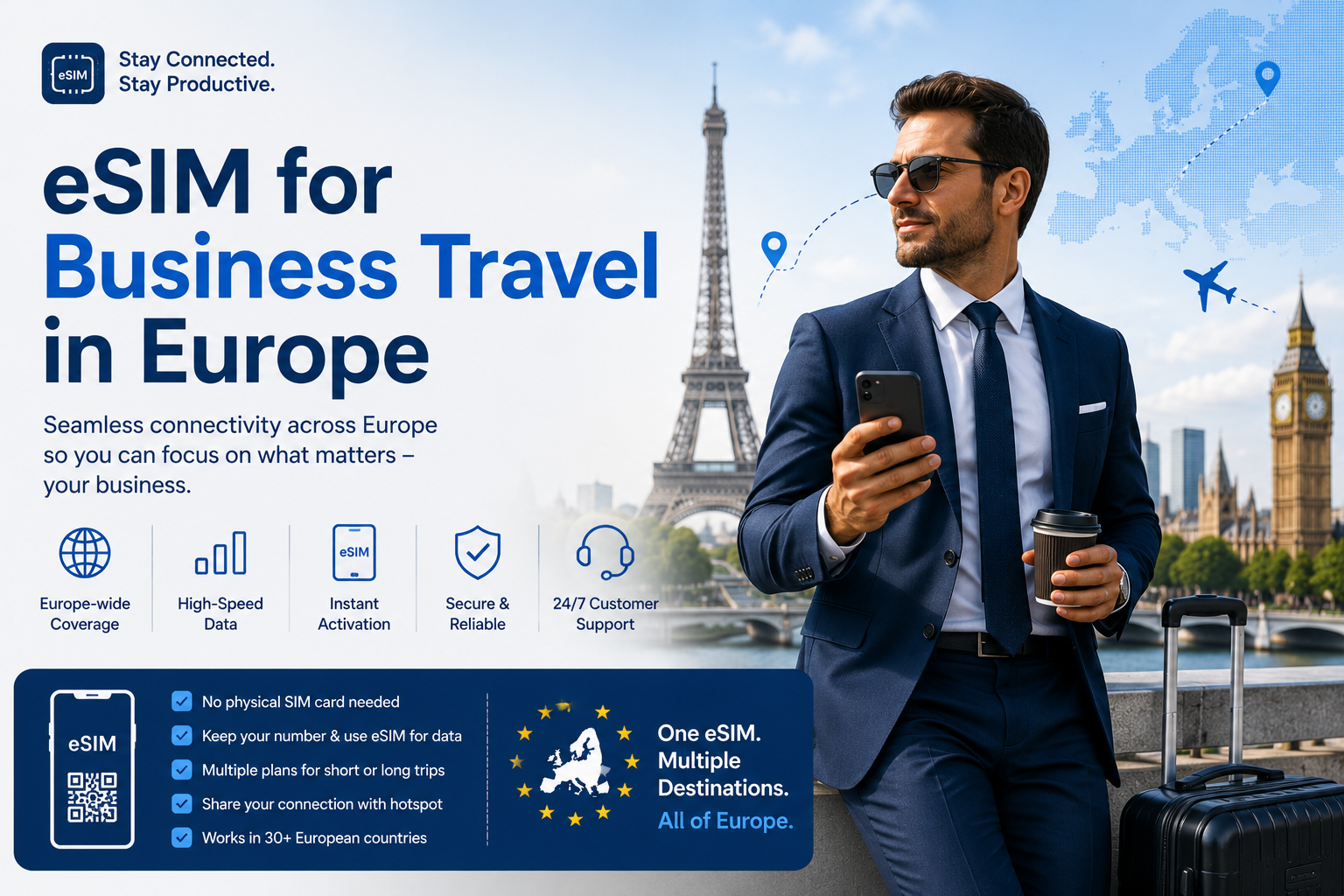
    Picking an eSIM for business travel in Europe is a different exercise from picking one for a holiday. A tourist who loses signal for an hour is mildly inconvenienced. A consultant who cannot dial into a client call from a taxi in Milan, or cannot receive the SMS code that unlocks their corporate VPN, has a real problem with real money attached to it.

    Most travel eSIM plans are built for tourists. They sell data, they sell it cheaply, and they assume you will do everything through WhatsApp. That assumption breaks down fast on a business trip, where you still need to phone a hotel about a late check-in, call a client’s landline, reach a driver waiting at the wrong terminal, and receive one-time passcodes from systems that only send SMS.

    This guide covers what separates a workable eSIM for business travel from a cheap tourist plan: voice and SMS, hotspot support, cross-border coverage, expense documentation, and how much data a working week actually consumes. SimClaire operates as a marketplace, so you can compare plans across providers and filter for the specifications that matter to a working traveller rather than taking whatever the first result offers.


    Quick Answer: What Is the Best eSIM for Business Travel in Europe?

    The best eSIM for business travel in Europe is a regional plan that includes voice minutes and SMS, covers every country on your itinerary, explicitly permits hotspot tethering, and has validity comfortably longer than your trip.

    Data-only plans are cheaper, and they are the wrong choice for most trips. An eSIM for business travel has to do things a holiday plan never has to do. The saving is a few dollars. The cost of not being able to make a phone call during a working week abroad is considerably higher.

    If your trip is a single city and a single country, a country-specific plan usually gives better value and stronger network performance. If you are crossing borders — which most European business itineraries do — a regional plan avoids buying a new eSIM in every market.

    Browse Europe plans →

    Who this guide is for

    • Consultants, salespeople and account managers working across European markets
    • Founders and executives on investor or client roadshows
    • Engineers and technical staff on customer sites abroad
    • Anyone attending trade shows, conferences or industry events in Europe
    • Employees whose company will not approve a €15-per-day roaming add-on

    Why “Roam Like at Home” Makes an eSIM for Business Travel Essential

    There is a widespread assumption that roaming in Europe is solved, and that anyone shopping for an eSIM for business travel is overthinking it. It is solved — but only for people who live there.

    The EU’s Roam Like at Home rules let residents of EU and EEA countries use their domestic minutes, texts and data across the bloc at no extra charge, and the European Parliament confirms these rules run until 2032. The scheme now also covers Ukraine and Moldova as of January 2026.

    None of that applies to a traveller flying in from Canada, the United States, the UK or anywhere else outside the zone. Your home carrier’s European roaming is governed by your own contract, not by EU regulation — which is exactly why a travel eSIM for business trips tends to cost a fraction of what your carrier charges for the same week.

    If you are unsure what your own plan does abroad, our breakdown of how roaming charges actually work walks through the per-day and per-megabyte models carriers use.


    What to Look for in an eSIM for Business Travel

    Voice Minutes and SMS, Not Just Data

    This is the specification that separates a business-grade plan from a tourist one, and it is the one most people discover too late.

    A data-only eSIM cannot dial a regular phone number. On a working trip that means you cannot:

    • Call a client’s office line or a colleague’s desk phone
    • Phone the hotel when your flight lands at midnight and reception has gone quiet
    • Reach a driver, a venue coordinator or a courier
    • Call a bank or card issuer after a transaction gets flagged abroad
    • Receive SMS one-time passcodes from systems that do not support app-based authentication

    WhatsApp and Teams calls cover some of this, but only when the other party is on the same platform. Hotels, taxi dispatchers, receptionists and banks generally are not. Filtering for combo plans that bundle minutes and SMS is the single highest-value decision when choosing an eSIM for business travel.

    Hotspot Support for Your Laptop

    Real work happens on a laptop, so any eSIM for business travel needs to reach one. If your plan does not permit tethering, your laptop is stuck on hotel or venue Wi-Fi — which is congested at conferences, unreliable in older hotels, and a poor idea for anything sensitive. Confirm that hotspot use is explicitly allowed, and check whether tethered data is capped below the headline allowance.

    Regional Coverage Across Every Border

    European business itineraries rarely stay in one country. A Monday in Amsterdam, Wednesday in Frankfurt, Friday in Zurich is an ordinary week — and Switzerland is not in the EU, so it drops out of plenty of “Europe” bundles. Check the country list against your actual calendar, including the UK if London is on it.

    Validity That Outlasts the Trip

    Business trips get extended. A meeting moves, a deal needs another day, a flight gets cancelled. Buy validity with margin rather than matching your itinerary exactly, because topping up mid-trip is more disruptive than paying slightly more upfront.

    Documentation You Can Expense

    You will need to expense this. An eSIM for business travel is a business purchase, and it should produce a business receipt. Check that you receive an itemised receipt or invoice at purchase with the vendor name and amount, and that it arrives at an email address you can access from the road. This sounds trivial until you are reconstructing a expense report six weeks later from a payment confirmation you deleted.


    How Much Data Does an eSIM for Business Travel Need?

    The data an eSIM for business travel needs skews differently from leisure usage: less streaming, far more video calls, email with attachments, cloud file sync, and laptop tethering.

    ActivityTypical ConsumptionNotes
    Video call (Teams, Zoom, Meet)1.5–3 GB per hour at HDThe dominant cost on most business trips
    Voice-only call over data30–50 MB per hourNegligible by comparison
    Email with attachments50–150 MB per dayHigher if your client sends decks
    Cloud sync (OneDrive, Drive, Dropbox)500 MB – 3 GB per dayTurn off automatic sync before you fly
    Navigation and transit apps100–300 MB per dayDownload offline maps to reduce this
    Laptop tethering, general work1–2 GB per dayOn top of phone usage

    Practical guidance by trip length:

    • Two to three days, light usage: 5 GB is usually enough if you avoid tethering.
    • A standard working week: 10–20 GB covers most travellers comfortably.
    • A week with daily video calls and laptop tethering: 30 GB or an unlimited plan.
    • Multi-week assignment: unlimited, or a high-cap plan with top-up available.

    The biggest avoidable drain is background cloud sync. Pausing OneDrive, Google Drive, Dropbox and automatic photo backup before departure routinely halves consumption, and costs you nothing.


    eSIM for Business Travel vs Your Carrier’s Roaming Add-On

    Travel eSIMCarrier roaming pass
    Cost structureFixed prepaid amount, known before departureDaily fee, charged for every day you use it
    Multi-country tripsOne regional plan covers the routeUsually fine, but priced per day regardless
    Your work numberStays active on your home SIM for calls and textsStays active
    Local callingCombo plans include minutes and SMSIncluded, at your domestic rate
    Expense clarityOne receipt, one line itemBuried in a bill that arrives weeks later
    SetupInstall before you flyAutomatic

    Carrier roaming wins on convenience and on keeping your work number fully live. A prepaid travel eSIM wins decisively on cost and on expense clarity — one clean receipt rather than a surcharge you have to explain to finance a month later.

    Most experienced travellers run both: home SIM active for their work number with data roaming switched off, travel eSIM handling all data and local calling. Dual SIM makes this straightforward, and our comparison of eSIMs and physical SIM cards covers the mechanics.


    The One-Time Passcode Problem

    This deserves its own section because it strands people more often than any other connectivity issue, and because no eSIM for business travel fixes it on its own.

    Corporate systems, banks and payment platforms frequently fall back to SMS verification. If your work number is on a home SIM you have switched off to avoid roaming charges, those codes go nowhere. If your travel eSIM is data-only, it has no number capable of receiving them either.

    Three things to do before you fly:

    1. Move corporate MFA to an authenticator app. Microsoft Authenticator, Okta Verify and Google Authenticator generate codes offline, with no network needed at all.
    2. Keep your home SIM enabled for calls and texts with data roaming explicitly disabled. Incoming SMS is typically free or trivially cheap; it is data that generates the bill.
    3. Choose a plan with SMS capability so you have a second working number if the first fails.

    Sorting this out takes ten minutes at your desk and prevents the specific failure mode of being locked out of your own systems in a foreign city.


    Choosing an eSIM for Business Travel by Trip Type

    Single City, Single Country

    A country-specific plan on a major local network gives the best performance and usually the best price. Two to five days of normal usage rarely needs more than 5–10 GB. Voice minutes still matter for hotel and client calls.

    Multi-Country Week

    A regional eSIM for business travel is the obvious choice — buying separate plans for three countries in five days wastes both money and time. Verify every country on your itinerary appears on the coverage list, and watch for non-EU stops like Switzerland, Norway or the UK.

    Trade Shows and Conferences

    Here an eSIM for business travel earns its cost outright. Venue Wi-Fi at large events is reliably terrible, and cellular networks around convention centres get congested during peak hours. Buy more data than you think you need, and treat your own connection as the primary one rather than the backup. If you are demoing anything live, tethering to a phone with a strong local signal beats venue Wi-Fi almost every time.

    Extended Assignments

    For anything over three weeks in a single country, compare an eSIM against a local postpaid or prepaid SIM, which can be cheaper at that duration. The trade-off is administration: local SIMs often require registration, an address, or an in-person visit. For most assignments under two months, an eSIM with a top-up option remains simpler.


    Setting Up an eSIM for Business Travel Before You Fly

    1. Confirm your device supports eSIM. Almost all recent business phones do; Apple’s eSIM setup documentation lists supported models and the installation steps. See our activation walkthrough for a step-by-step version.
    2. Buy and install the profile at home, on stable Wi-Fi, ideally a few days out.
    3. Do not activate yet — validity generally starts at activation, not purchase.
    4. Disable data roaming on your home SIM while leaving calls and texts enabled.
    5. Set the travel line as your default for data and leave your work number as default for voice if you want it reachable.
    6. Pause cloud sync and automatic app updates.
    7. Download offline maps and any documents you will need on arrival.
    8. Save your receipt somewhere your expense system can reach.
    9. Activate on landing and confirm you have signal before leaving the terminal.

    Border Queues and Why You Want Signal on Arrival

    Since April 2026, the EU’s Entry/Exit System has been operating at Schengen external borders, replacing passport stamps with biometric registration. The rollout has produced longer queues at some airports and land crossings, and the European Commission maintains an official page on the EES and ETIAS timeline worth checking before you travel.

    For anyone carrying an eSIM for business travel, the practical implication is simple: arrival can now take considerably longer than it used to, and you may need to message a client, reschedule a car, or tell a colleague you will miss the first half of a meeting — all while standing in a queue on the wrong side of border control. An active connection the moment you land is no longer a nicety.

    ETIAS, the separate travel authorisation for visa-exempt visitors including Canadians, Americans and Britons, is targeted for late 2026 but has been repeatedly delayed and is not yet in force. Check the official EU page rather than any commercial site before your trip, since third-party ETIAS sites are a well-documented scam vector.

    One thing that never depends on your plan: emergency numbers work from any phone with a signal, active plan or not. In Europe that is 112, as the EU’s own travel guidance confirms.


    Common Mistakes When Buying an eSIM for Business Travel

    Buying a data-only plan. The most frequent and most costly error when buying an eSIM for business travel. Calling capability is what turns a tourist plan into a working one.

    Forgetting Switzerland or the UK. Both sit outside the EU and outside plenty of regional bundles, and both appear constantly on business itineraries.

    Leaving cloud sync running. A single large file syncing over cellular can consume a day’s allowance before your first meeting.

    Assuming hotel Wi-Fi is adequate. For a client call it frequently is not, and for anything sensitive it should not be your only option.

    Not checking whether tethering is permitted. If your laptop needs the connection, verify this before purchase, not on arrival.

    Cutting validity too fine. Trips extend. Build in margin.

    Losing the receipt. Trivial to avoid, tedious to fix at expense time.


    Where to Compare an eSIM for Business Travel

    SimClaire is a marketplace rather than a single provider, which matters when your requirements are specific rather than generic. Comparing an eSIM for business travel across providers surfaces the combo plans that price comparison sites bury.

    Filter for what business trips actually need. Voice minutes, SMS, hotspot permission, validity length and country coverage — not just price per gigabyte.

    Combo plans that include calling. The specification most tourist-focused providers do not lead with, and the one that determines whether your trip works.

    Compare across providers. Coverage and pricing vary by country and by duration. Comparing beats defaulting to whichever brand you have heard of.

    Country, regional and global options for single-market trips and multi-city routes alike.

    Buy and install before departure, with a receipt you can file.

    See plans on SimClaire →


    Final Verdict: Choosing the Right eSIM for Business Travel

    For most European trips, the right eSIM for business travel is: a regional plan including voice minutes and SMS, with confirmed hotspot support and validity longer than your itinerary.

    For a single-city trip: a country-specific plan on a major local network, 5–10 GB, with calling included.

    For a week of client meetings and video calls: 30 GB or unlimited, hotspot enabled.

    For conferences and trade shows: more data than you estimate, treated as your primary connection rather than a backup.

    For assignments over a month: compare against a local SIM, but weigh the registration friction.

    The decision that matters most is not price. It is whether the plan can make a phone call. Everything else on a business trip has a workaround; that one does not.


    Frequently Asked Questions

    When should I install and activate the plan?

    Install at home on stable Wi-Fi a few days before departure, then activate on landing. Validity typically starts at activation rather than purchase, so early installation costs nothing.

    Can I keep my work number active while using a travel plan?

    Yes. Dual SIM lets your home line stay active for incoming calls and texts to your work number while the travel line handles all data. Switch data roaming off on the home line to avoid charges.

    Should I use an eSIM or a local SIM card for a long assignment?

    For stays beyond roughly two months in one country, a local SIM can be cheaper. Below that, an eSIM is simpler — no registration paperwork, no in-person visit, and you can install it before you leave.

    Can I tether my work laptop to an eSIM?

    Yes, provided the plan explicitly permits hotspot use. Some plans allow tethering but apply a lower cap to tethered data, so confirm both before purchasing.

    Does EU roaming regulation cover travellers from outside Europe?

    No. Roam Like at Home applies to residents of EU and EEA countries. Visitors from Canada, the US, the UK and elsewhere are governed by their own carrier’s international terms, which is why a local travel plan is typically far cheaper.

    Is a travel eSIM cheaper than my carrier’s roaming pass?

    Usually, and often substantially, because carrier passes charge a daily fee for every day of the trip. A prepaid plan is also a single clean line item for expenses rather than a surcharge buried in a bill that arrives weeks later.

    How much data does a business trip to Europe need?

    Roughly 5 GB for two or three light days, 10–20 GB for a standard working week, and 30 GB or unlimited if you have daily video calls or tether a laptop. Video conferencing is the dominant consumer at 1.5–3 GB per hour.

    Will I still receive work SMS codes while abroad?

    Only if the number those codes are sent to is reachable. Keep your home SIM enabled for calls and texts with data roaming switched off, and move corporate multi-factor authentication to an authenticator app before you travel — those generate codes with no network connection at all.

    Can I make normal phone calls with a travel eSIM?

    Only if the plan includes voice minutes. Most travel eSIMs are data-only, which means calls work through WhatsApp, Teams or FaceTime but cannot reach a regular phone number. Look specifically for combo plans that bundle minutes and SMS.

    What is the best eSIM for business travel in Europe?

    The best option is a regional plan that includes voice minutes and SMS, covers every country on your itinerary, permits hotspot tethering, and has validity longer than your trip. Data-only plans are cheaper but leave you unable to phone hotels, clients or drivers.

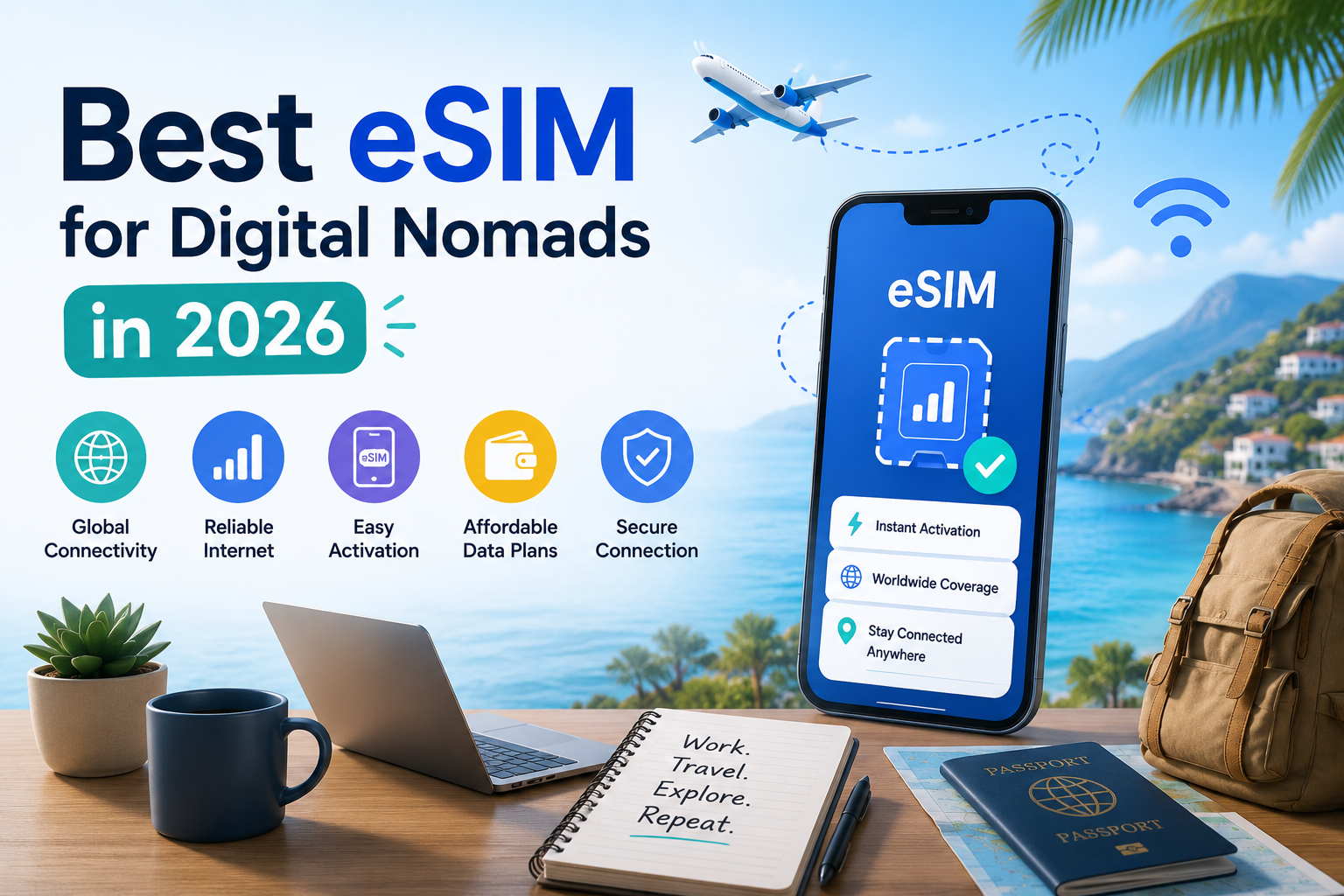
  • Best eSIM for Digital Nomads in 2026

    Best eSIM for Digital Nomads in 2026

    If you work remotely while traveling, staying connected is not optional it is how you pay your bills. The best eSIM for digital nomads gives you fast, affordable mobile data the moment you land, without roaming charges, without swapping physical SIM cards, and without depending on café Wi-Fi that drops out mid-meeting.

    The problem is that not every eSIM plan fits every nomad’s situation. A solo designer on a three-week trip to Bali needs something very different from a developer moving between five countries over six months. Data limits, hotspot support, validity periods, and network quality all vary widely between providers and regions.

    That is why SimClaire works as a marketplace not a single provider. You can compare country plans, regional plans, and global plans side by side, then buy the one that actually matches your destination, your data habits, and your budget.

    This guide walks you through everything: how to pick the right plan, how much data you actually need for remote work, which regions and countries to watch for, and the most common mistakes that end up costing nomads money or connectivity.

    Quick Answer: What Is the Best eSIM for Digital Nomads?

    The best eSIM for digital nomads depends on four things: destination, data needs, hotspot support, and trip length. There is no single plan that works for everyone.

    • Short trip, single country: a prepaid country-specific eSIM with 10–20 GB is usually enough.
    • Multi-country travel: a regional eSIM covering multiple destinations saves the hassle of buying separate plans.
    • Long-term remote work: look for a high-data or unlimited eSIM with confirmed hotspot support and a 30-day or longer validity.
    • Budget-conscious nomads: compare prepaid country plans on SimClaire prices vary significantly by provider for the same destination.

    SimClaire lets you filter by country, region, data size, validity, and price so you find the right fit instead of guessing.

    Compare digital nomad eSIM plans on SimClaire and choose the best option for your next destination.

    Digital Nomad working image

    Who this guide is for:

    • Remote workers and freelancers who travel for weeks or months at a time
    • Digital nomads moving between multiple countries or regions
    • Entrepreneurs and consultants on international business trips
    • Long-term travelers who need reliable data for Zoom, Slack, and client calls
    • Anyone tired of expensive roaming bills or unreliable airport SIM cards

    Why Digital Nomads Need a Reliable eSIM

    Public Wi-Fi sounds convenient, but it is rarely a workable primary connection for remote work. Hotel networks get congested. Coworking space Wi-Fi goes down. Café passwords change daily. When you have a client call in 20 minutes, “ask the barista for the new password” is not a backup plan.

    Here is why a dedicated eSIM for digital nomads makes sense:

    • Stable data for remote meetings. Video calls need consistent upload speed. A personal data connection through your eSIM is far more reliable than shared café Wi-Fi with 30 other people on it.
    • No physical SIM swapping. eSIMs are digital. You buy, download, and activate entirely online — no hunting for a SIM shop on arrival.
    • Activate before you travel. Most eSIM plans let you install the plan before you leave home. Switch it on when you land.
    • Avoid roaming charges. International roaming on a home carrier can cost several dollars per megabyte. A prepaid travel eSIM gives you a predictable, fixed cost.
    • Keep your home number. Because eSIMs are virtual, your phone can run a travel eSIM for data while your home SIM stays active for calls, OTP codes, and banking apps.
    • Airport SIMs are inconvenient and often overpriced. Buying a local SIM at the airport means queuing, showing your passport, and sometimes a language barrier — all after a long flight.

    Best eSIM Plans for Digital Nomads Compared


    The right eSIM type depends on how you work and where you travel. Use this table as a starting framework, then compare actual plans on SimClaire.

    Use CaseBest eSIM TypeBest ForWhat to Check Before Buying
    Short work trip (1–2 weeks)Country-specific prepaid eSIMFreelancers on short assignmentsData limit (10–20 GB), validity period
    Multi-country travelRegional eSIM (Europe, Asia, etc.)Nomads crossing borders frequentlyWhich countries are covered, fair-use limits per country
    Long-term stay (1–3 months)High-data country eSIM or renewable planRemote workers based in one cityData top-up options, 30-day validity, local network quality
    Heavy video callsUnlimited or 30 GB+ eSIMDevelopers, consultants, team leadsHotspot support, throttle threshold, supported 4G/5G bands
    Budget travelCheap country eSIM (5–10 GB)Slow travelers, async workersPrice per GB, whether it covers the whole country
    Hotspot / tethering useeSIM with explicit hotspot supportNomads needing laptop connectivityHotspot allowed? Tethering data cap?
    Backup internetSmall prepaid country eSIM (3–5 GB)Anyone with a coworking membership but unstable venue Wi-FiActivation window, expiry date

    Find country, regional, and global eSIM options on SimClaire — compare data, price, and validity in one place.

    Digital nomad working on laptop

    What Makes an eSIM Good for Digital Nomads?


    Multi-Country Coverage

    If you move between countries regularly, a regional eSIM saves you the hassle of buying a new plan at every border. Look for plans that cover your specific travel corridor — an Asia regional eSIM might include Thailand, Vietnam, and Singapore, but not always Japan or India. Always check the full country list before buying.

    Enough Data for Remote Work

    A 1 GB plan works fine for casual travel but falls short quickly when you start using Zoom, uploading files, or sharing your connection with a laptop. Remote workers generally need at least 10–20 GB per month for light-to-medium use, and 30 GB or more if video calls are a daily part of the job. See the data guide below.

    Hotspot and Tethering Support

    Not every eSIM plan allows you to share your mobile data as a Wi-Fi hotspot. If you plan to connect your laptop through your phone, confirm that hotspot is explicitly supported in the plan details before purchasing. This is one of the most overlooked specs when shopping for an international eSIM for remote workers.

    Flexible Validity Periods

    A 7-day plan bought two days before departure might expire while you are still in the country. Match validity to your actual stay length, and look for plans with a 30-day window or a top-up option for longer trips.

    Easy Activation Before You Travel

    The best eSIMs let you install the profile on your phone at home and activate data when you arrive — or even automatically. This means you step off the plane with a working connection, no queues, no shops, no paperwork.

    Transparent Pricing

    Some plans advertise “unlimited” data but throttle speeds aggressively after the first few gigabytes. Read the fine print: what is the high-speed threshold? Is there a fair-use limit? SimClaire surfaces plan details so you can compare honestly rather than getting surprised by small print after purchase.

    How Much Data Do Digital Nomads Need?


    One of the most common questions from nomads is: how much data do I actually need per month? The honest answer depends on your work habits.

    Usage LevelWhat It CoversEstimated Daily UseEstimated Monthly Use
    LightMaps, email, messaging apps, occasional browsing100–300 MB3–8 GB
    MediumBrowsing, social media, music, voice calls, light Slack/email500 MB–1.5 GB10–20 GB
    HeavyDaily Zoom/Google Meet calls, file uploads, hotspot for laptop, streaming2–4 GB30–80 GB

    Video calls are the biggest data consumer. A standard Zoom call uses roughly 1.5–2 GB per hour at HD quality. Two hours of calls a day over a 30-day month adds up to 90–120 GB — which is why unlimited eSIM plans appeal to full-time remote workers. Hotspot tethering multiplies consumption even faster because your laptop tends to use more data than your phone.

    If you do async work — writing, design, or code with occasional file syncs — a 20–30 GB monthly plan is often enough. If your calendar is full of video meetings, aim for unlimited or a plan with a very high data cap and confirmed hotspot support.

    Best eSIM for Digital Nomads by Region


    Best eSIM for Digital Nomads in Europe

    Europe is one of the most popular regions for digital nomads, thanks to its reliable infrastructure, coworking culture, and varied cities. The good news is that a single regional eSIM can cover dozens of countries across the EU and beyond including Germany, Portugal, Spain, France, Italy, the Netherlands, and more.

    When choosing the best eSIM for digital nomads in Europe, check whether the plan covers both EU countries and nearby non-EU destinations like the UK, Switzerland, or Georgia. Data speeds and network quality vary look for plans that connect to major local carriers rather than roaming-only networks.

    Browse Destination Plans: Best eSIM for Europe →

    Best eSIM for Digital Nomads in Asia

    Asia is arguably the world’s most popular digital nomad region. Countries like Thailand, Vietnam, Indonesia, Singapore, and Japan offer fast LTE networks at competitive prices. The challenge is that Asia covers enormous geographic diversity — a plan that works well in Thailand may not cover Japan or South Korea.

    For multi-country Asia travel, look for a regional eSIM that lists your specific destinations. For stays focused on a single country, a local plan often gives better value and stronger network coverage. Check our dedicated guides for the best eSIM for digital nomads in Southeast Asia and Japan.

    Best eSIM for Digital Nomads in Thailand

    Thailand’s digital nomad hubs — Bangkok, Chiang Mai, and Phuket — have excellent 4G infrastructure. Thailand is also one of the most affordable countries for data, so a local eSIM often gives you more gigabytes for your money than a regional plan.

    For longer stays in Chiang Mai or Bangkok, a 30-day Thailand eSIM with a large data cap makes more sense than a global plan. Short visits to multiple Thai cities work fine on a weekly plan.

    Browse Destination Plans: Best eSIM for Thailand →

    Best eSIM for Digital Nomads in Dubai

    Dubai attracts business travelers and remote workers looking for a productive short-term base. Data access here is generally fast and reliable, but some VoIP services and certain apps may be restricted. Before buying any eSIM for Dubai, verify that the apps you need for work are accessible. For business travel and remote work, a UAE-specific eSIM typically offers better value than a broad global plan.

    Browse Destination Plans: Best eSIM for Dubai →

    eSIM vs Local SIM for Digital Nomads


    FactoreSIMLocal Physical SIM
    SetupBuy and install online before travelRequires in-store purchase on arrival
    ConvenienceNo physical card, no queue, no language barrierMay require ID, sometimes language barrier
    Multi-country useRegional plans cover multiple countriesUsually works in one country only
    Cost controlFixed prepaid cost; compare before buyingCan be cheaper for very long stays
    Home numberKeep home SIM active alongside eSIMMay need to remove home SIM
    Best forShort-to-medium trips, multi-country routes, fast setupVery long stays (3+ months) in one country

    Local SIMs can make sense if you settle in one city for several months and want the cheapest possible data rate — local carriers often have better long-term value for residents. But for most nomads crossing borders or needing pre-travel setup, an eSIM wins on almost every practical point. Read our full eSIM vs SIM card comparison →

    eSIM vs Pocket Wi-Fi vs Roaming for Remote Workers

    OptionSetupCostFlexibilityBest For
    Travel eSIMOnline, pre-travelPredictable, prepaidHigh — works in your phoneMost nomads; everyday data use
    Pocket Wi-FiRental on arrival or pre-bookedDaily rental fee; often costlyMedium — extra device to carry and chargeGroups sharing data or devices without eSIM
    Carrier RoamingAutomatic (no setup)Can be very expensive per MBLow — expensive above daily capsEmergencies only; short data bursts

    For most remote workers, a travel eSIM is the most practical solution. Pocket Wi-Fi devices add weight and a charging dependency. Roaming on your home carrier is a reliable backup but rarely cost-effective for anything beyond a day or two. Learn how to avoid roaming charges entirely →

    Can Digital Nomads Use an eSIM for Hotspot?

    Yes, but only if the plan explicitly supports hotspot or tethering. Many eSIM plans do allow it; some do not. This is the most important specification to check when buying an eSIM for remote work travel.

    Here is why hotspot matters for digital nomads:

    • You can connect your laptop to your phone’s mobile data when hotel or coworking Wi-Fi is slow or down.
    • You get a secure personal connection instead of using unsecured public Wi-Fi.
    • It serves as an immediate backup during important calls or file transfers.

    When shopping for an eSIM with hotspot for digital nomads, look specifically for the words “hotspot supported” or “tethering allowed” in the plan description. Some plans allow hotspot but cap the tethered data at a lower threshold than the overall plan data — so read the full details before purchasing.

    How to Choose the Right Digital Nomad eSIM on SimClaire

    Follow these steps to find the best plan for your trip:

    1. Choose your destination or region. On SimClaire, you can search by country or browse regional plans. If you are visiting multiple countries, start with a regional plan.
    2. Compare data limits. Cross-reference with the data usage table above. Be realistic about how many video calls you take per week.
    3. Check the validity period. Make sure the plan’s validity matches or exceeds your trip length. A 7-day plan activated three days before departure wastes coverage.
    4. Confirm hotspot support. If you need to connect your laptop, check whether tethering is allowed and whether there is a separate hotspot data cap.
    5. Check supported networks. Look for plans that connect to major local carriers (not just roaming fallbacks). Better networks mean faster speeds.
    6. Buy and activate before travel. Install the eSIM profile at home. Activate data when you land, or set the eSIM to activate automatically on arrival.
    7. Keep your home SIM active. Your home SIM can stay in the phone alongside your travel eSIM. This keeps your regular number available for bank OTPs, calls from contacts who do not know you are traveling, and app verifications.

    Common Mistakes Digital Nomads Should Avoid

    • Buying too little data. Underestimating usage is the most common problem. If in doubt, buy more than you think you need — running out mid-month is more expensive and stressful than having leftover gigabytes.
    • Forgetting to check hotspot support. If your plan does not allow tethering and you need to connect your laptop, you are stuck. Always verify this before purchasing.
    • Activating the eSIM too early. Most eSIM plans start counting validity from activation, not purchase. Activate only when you arrive (or when you actually need data).
    • Not checking phone compatibility. eSIM requires an unlocked, eSIM-capable device. Check your phone model before buying. Most modern iPhones (XS and later) and many Android flagships support eSIM. Check our iPhone eSIM activation guide →
    • Depending only on café Wi-Fi. Café connections are shared, inconsistent, and sometimes completely blocked for certain services. Always have a personal mobile data backup.
    • Ignoring coverage in smaller towns or islands. Regional eSIM plans sometimes have strong coverage in capitals and tourist hubs but weak or no signal in rural areas or smaller islands. Check coverage maps for your specific destinations.
    • Deleting the eSIM too early. Some travelers delete their eSIM after a trip without realising it still has unused data or that re-purchasing is sometimes more expensive. Keep the profile until you are certain you no longer need it.

    Why Buy a Digital Nomad eSIM Through SimClaire?

    SimClaire is not a single eSIM provider. It is a marketplace where you can compare plans from multiple providers across hundreds of countries and regions all in one place.

    Here is what that means in practice:

    • Compare instead of guess. See data limits, validity periods, hotspot support, network partners, and prices side by side before you commit.
    • Country, regional, and global plans. Whether you need a week in Thailand or three months across Europe, you can find options that match.
    • No single provider lock-in. SimClaire shows you plans from multiple sources, so you are not limited to one brand’s pricing or coverage.
    • Flexible for remote workers. Plans are filterable by the things that matter most to nomads: data size, hotspot support, validity length, and price.
    • Buy before you board. Purchase and install your eSIM from home — no airport queues, no language barriers, no scramble for connectivity on arrival.

    Compare digital nomad eSIM plans on SimClaire — find the right data plan for your next destination.Start Comparing →

    Final Verdict: What Is the Best eSIM for Digital Nomads?

    There is no single “best” digital nomad eSIM — but there is a best one for your situation.

    • Best overall: A flexible regional or global eSIM with a generous data cap and confirmed hotspot support. This covers multi-country routes and keeps you connected across borders without the hassle of swapping plans.
    • Best for long stays: A country-specific eSIM with a 30-day or renewable validity and enough data for daily remote work (20 GB minimum for medium use; 30 GB+ for heavy video call users).
    • Best for heavy remote work: A high-data or unlimited eSIM plan with explicit hotspot support and solid 4G/5G network coverage in your destinations.
    • Best budget option: A prepaid country eSIM that matches your exact trip length and data needs — no paying for coverage you will not use. Compare prices on SimClaire to find the cheapest plan that still meets your requirements.

    The key is to compare before you buy. Data limits, hotspot policies, validity periods, and prices vary enough between providers that a few minutes of comparison can save you money and avoid connectivity problems mid-trip.

    Ready to find the best eSIM for digital nomads? Compare plans by destination, data, and price on SimClaire.Find Your Plan on SimClaire →

    Frequently Asked Questions

    What is the best eSIM for digital nomads?

    The best eSIM for digital nomads depends on your destination, trip length, and data needs. For multi-country travel, a regional eSIM is usually the most convenient option. For long stays in one country, a local high-data plan often provides better value. Use SimClaire to compare options side by side before committing to a plan.

    Is eSIM good for digital nomads?

    Yes. eSIMs are well-suited to the digital nomad lifestyle because they can be purchased and installed online before travel, do not require a physical SIM swap, support multi-country use through regional plans, and let you keep your home number active at the same time. For anyone working remotely across borders, they are a practical upgrade over traditional roaming or local SIM hunting.

    Can digital nomads use eSIM for hotspot?

    Many eSIM plans do support hotspot and tethering, but not all of them. Always check the plan description for explicit hotspot support before purchasing. Some plans allow tethering but apply a separate data cap to it. If connecting your laptop is essential to your remote work setup, hotspot support should be a non-negotiable filter when choosing a plan.

    How much data do digital nomads need per month?

    Light users (email, maps, messaging) typically need 3–8 GB per month. Medium users (browsing, social media, occasional calls) use 10–20 GB. Heavy users with daily video calls, file uploads, and hotspot tethering can easily consume 30–80 GB or more. If Zoom or Google Meet is a daily tool, aim for a plan with at least 30 GB or an unlimited option.

    Is unlimited eSIM worth it for digital nomads?

    It can be, especially if you have daily video calls or regularly tether your laptop. The caveat is that many “unlimited” plans throttle speeds after a high-speed data threshold — sometimes as low as 5–10 GB. Read the fine print carefully. If your work genuinely requires consistent high-speed data all month, an unlimited plan with a reasonable throttle threshold is worth the extra cost.

    Should digital nomads use eSIM or local SIM?

    eSIM is usually the better choice for trips under three months, multi-country routes, or anywhere that buying a local SIM involves friction (queues, ID requirements, language barriers). Local physical SIMs can make sense for very long stays in one country where local carrier plans are significantly cheaper. For most nomads, an eSIM wins on convenience and flexibility.

    Can one eSIM work in multiple countries?

    Yes — regional and global eSIM plans are designed to cover multiple countries with a single plan. A European regional eSIM might cover 30+ countries; an Asia regional plan might cover 10–15. Always check the exact country list in the plan description, as coverage zones vary between providers.

    Can I use Zoom and Google Meet with an eSIM?

    Yes. Any eSIM that provides a stable 4G or 5G connection supports video conferencing apps like Zoom, Google Meet, Microsoft Teams, and similar tools. The quality of your calls depends on signal strength and network speed in your location, not on the eSIM itself. For reliable video calls, aim for a plan on a major local carrier in your destination country.

    What is the best eSIM for digital nomads in Europe?

    A multi-country European regional eSIM is generally the most practical option for nomads travelling across the EU. Look for plans that include your specific countries, offer at least 10–20 GB for medium use, and support hotspot. See our full Europe eSIM guide for detailed recommendations by country and region.

    Should I buy an eSIM before arriving in a country?

    Yes — and this is one of the main reasons nomads choose eSIM over local SIMs. You can purchase and install an eSIM profile at home, then activate data when you land. This means you have a working connection from the moment you step off the plane, with no queues, no SIM shops, and no scramble for airport Wi-Fi. Most plans on SimClaire support pre-travel installation.